
Running a small business means wearing multiple hats, often on the same day. Between client work, deadlines, team communication, and the constant stream of tasks, things can get overwhelming fast. You need a system that simplifies your workload, keeps your team aligned, and gives you breathing room to focus on what matters.
ClickUp does exactly that.
At Elevate, we test tools through a simple lens: Does it reduce stress? Does it make work clearer? Does it help small teams move forward with confidence? ClickUp consistently checks every box.
Below is a look at why it’s our go‑to recommendation and how it can become the operational backbone for your small business.
Small teams need tools that are intuitive, affordable, and adaptable systems that reduce noise, not add to it. ClickUp delivers all three without clutter or jargon. It gives you a clean starting point, strong organizational structure, and the flexibility to grow at your own pace. Instead of forcing a rigid framework, ClickUp scales with you, offering simple day‑one setup with the depth to support more advanced workflows as your business evolves.

1. A True All‑in‑One Productivity System
Small teams often struggle with scattered tools and inconsistent processes.
A true all‑in‑one platform removes that friction by giving you one dependable home for planning, communication, and documentation. ClickUp brings these pieces together so you can create a steady operational rhythm. One where your team knows exactly where to look, what to do next, and how their work connects to your larger goals.
Instead of managing five different apps, ClickUp brings everything into one calm, organized workspace:
Tasks & projects: Customizable lists, subtasks, and dependencies
Docs: Write, store, and collaborate in real time
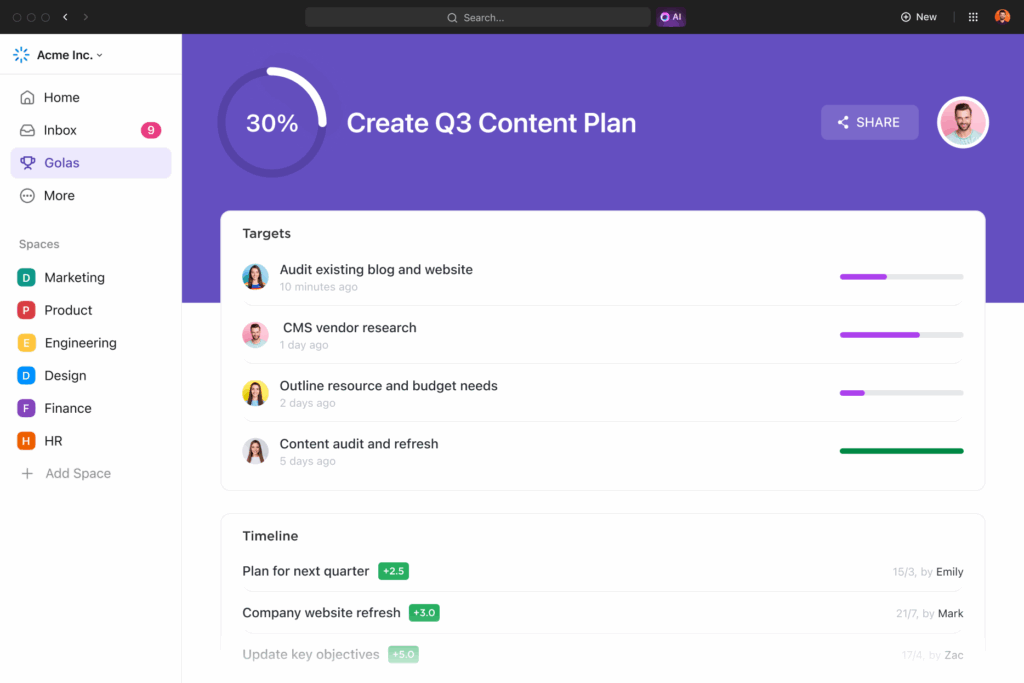
Goals: Track clear, measurable progress
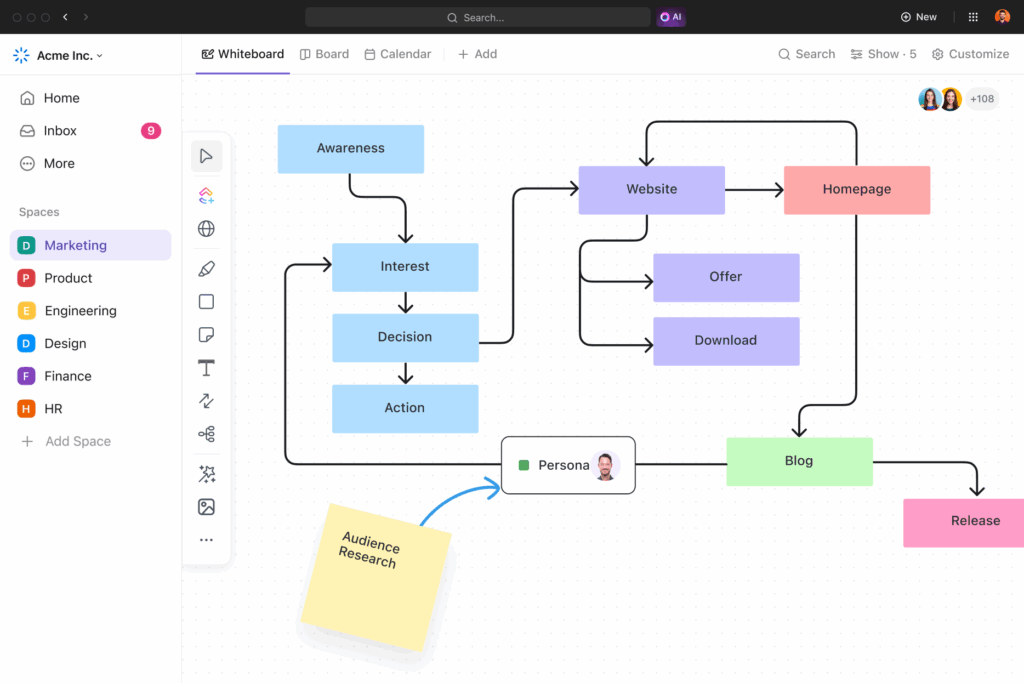
Whiteboards: Capture ideas visually during brainstorming
Native time tracking: Monitor hours without extra tools
This consolidation removes tool switching, reduces mental load, and keeps your team aligned, helping your team work more efficiently and stay focused on the work that matters most.
“Small businesses don’t need more complexity. They need systems that create clarity, accountability, and momentum.“
- Elevate Team
2. Views That Match Every Working Style
Your bookkeeper thinks in lists. Your designer thinks in visuals. Your operations lead thinks in timelines. Each team member processes information differently, and a flexible tool like ClickUp ensures everyone can work in the environment that feels most natural to them—whether that’s a structured checklist, a visual workflow, or a high-level roadmap. When people can organize their work in a way that matches how they think, projects move faster, collaboration improves, and the entire team operates with more confidence.
ClickUp lets everyone work the way they naturally operate:
List for linear thinkers
Board for Kanban and workflow stages
Calendar for scheduling and planning backward
Gantt for timeline management
Timeline for long‑range planning
This flexibility builds confidence and reduces friction—honoring our brand commitment to meeting people where they are
3. Pricing That Scales With You
As your team grows, your operational needs will naturally become more complex. You may add new roles, expand your client roster, or start managing more sophisticated workflows. Having a tool that adjusts alongside you means you won’t need to migrate systems or retrain your team later. ClickUp’s pricing structure makes it easy to scale gradually—paying only for what you need while keeping the option open to unlock more advanced features when the time is right.
ClickUp’s plans are designed for small businesses that need power without overspending:
Free Forever: Ideal for startups or solopreneurs testing systems
Unlimited ($7/user/mo): Great for expanding teams who need more storage
Business ($12/user/mo): Best for advanced reporting and automation
This structure keeps your costs predictable and your tools adaptable.
Key Features That Make ClickUp a Reliable Partner in Your Workflow
The right project management tool should create clarity—not more clutter. Here’s how ClickUp supports effective, stress‑free project management.
Task Management That Reduces Overwhelm
ClickUp gives you the structure to break big goals into small, doable steps—something Elevate clients regularly ask for. You can:
Assign tasks and subtasks with clear details
Set priorities and due dates
Add attachments, comments, and checklists
Use dependencies to keep work in the right order
Example: Launching a new service? Break it into manageable pieces such as copywriting, design, website updates, email sequences and assign each step to the right person. Everyone knows their next action.
Automations That Save Time and Protect Your Focus
Small teams thrive when repetitive work is removed. ClickUp’s automation tools help you:
Trigger tasks when others are completed
Apply templates automatically
Send reminders as due dates approach
This protects your attention and gives you space to think strategically.
Dashboards for Clear, Confident Oversight
Data is only useful when it’s easy to understand. With ClickUp dashboards, you can:
Monitor task progress
Track time and workload
Visualize milestones
Generate simple, useful reports
When something is off track, you see it early and can adjust without last‑minute stress.
Collaboration Tools That Keep Everyone Connected
Whether your team is local, hybrid, or fully remote, ClickUp centralizes communication so nothing slips through the cracks:
Comment directly on tasks
Tag team members for quick follow‑ups
Share docs, notes, and whiteboards
Use built‑in chat for fast conversations
Everything stays in context, supporting clarity and accountability.
Integrations That Fit Your Ecosystem
You don’t have to abandon tools you already love. ClickUp integrates with:
Google Drive and Dropbox
Slack and Teams
Zoom
QuickBooks and Stripe
Zapier for hundreds of additional apps
ClickUp becomes your operational hub—not a replacement for your entire tech stack.
Key Features That Make ClickUp a Reliable Partner in Your Workflow
The right project management tool should create clarity—not more clutter. Here’s how ClickUp supports effective, stress‑free project management.
Task Management That Reduces Overwhelm
ClickUp gives you the structure to break big goals into small, doable steps—something Elevate clients regularly ask for. You can:
Assign tasks and subtasks with clear details
Set priorities and due dates
Add attachments, comments, and checklists
Use dependencies to keep work in the right order
Example: Launching a new service? Break it into manageable pieces—copywriting, design, website updates, email sequences—and assign each step to the right person. Everyone knows their next action.
Real‑World Scenarios: How Small Businesses Use ClickUp
Below are common examples from the types of teams Elevate serves.
Scenario 1: A Consulting Firm Managing Client Projects
ClickUp helps you:
Create a dedicated Space for each client
Use templates for onboarding and deliverables
Track billable hours accurately
Generate easy‑to‑read client reports
Share limited views without granting full access
Outcome: A streamlined process that keeps clients informed and your team prepared.
Scenario 2: An E‑Commerce Startup Launching New Products
ClickUp supports you by:
Mapping every launch step
Scheduling social and email campaigns in Calendar view
Managing inventory coordination
Tracking design, copy, and production tasks
Outcome: A calm, coordinated launch—no scrambling.
Scenario 3: A Marketing Agency Running Campaigns
ClickUp helps you:
Manage content pipelines with Board view
Store brand assets and guidelines in Docs
Automate recurring content tasks
Balance creative workload fairly
Outcome: Transparent workflow, happier clients, and a more sustainable creative pace.
Why Entry‑Level Project Managers Thrive With ClickUp
ClickUp offers a clear path for new PMs to build confidence:
Gentle learning curve: Straightforward design plus free ClickUp University
Built‑in best practices: Encourages structured planning and follow‑through
Portfolio‑ready documentation: Tasks, timelines, and dashboards show your impact
Career development: Mastering ClickUp lays a foundation for future PM tools
This gives new project managers a practical, structured environment to build confidence and improve their skills as they take on more responsibility.
Getting Started With ClickUp: A Simple 7‑Step Path
Start with the Free Forever plan
Complete ClickUp University basics
Build your first project using a pre‑made template
Invite your team and assign initial tasks
Customize statuses and views to match how you work
Add automations for repetitive steps
Upgrade when your team needs more storage or reporting
This method gives you early wins which is very important for teams that value tangible progress.
Clarity Over Chaos with ClickUp
Small businesses don’t need more complexity. They need systems that create clarity, accountability, and momentum.
ClickUp replaces scattered notes, outdated spreadsheets, and endless email threads with one structured, intuitive workspace. It helps you stay organized, communicate clearly, and deliver consistently.
If your goal is to build a stronger foundation and work with more confidence, ClickUp is a smart next step.
Try ClickUp for Free
Try ClickUp today and see how an organized workflow can transform your business.
Start your free account here.
Disclosure: This article contains an affiliate link. If you sign up through our link, we may earn a commission at no extra cost to you. We only recommend tools we use and trust.